.svg)
.svg)
July 2026 product release

Listen to this blog as a podcast

.avif)
You asked for more control over automation and clearer answers when things go wrong, so that's most of what July was. Here's what shipped.
Highlights
- You decide what Fixify runs on its own. Guardrails, per skill and per workflow, plus a plain-language risk read on every plan.
- Slack does more. Ask questions and approve access requests without opening Fixify.
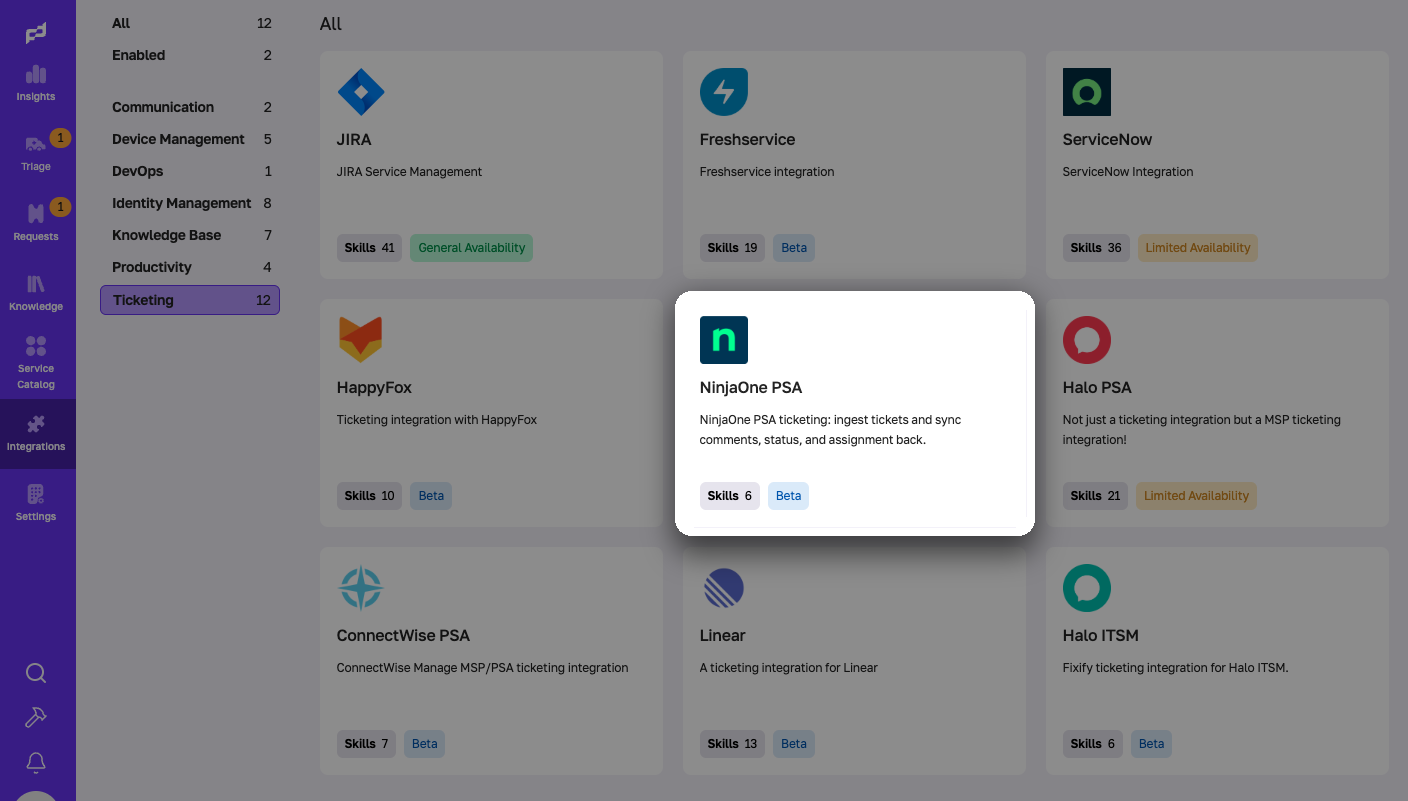
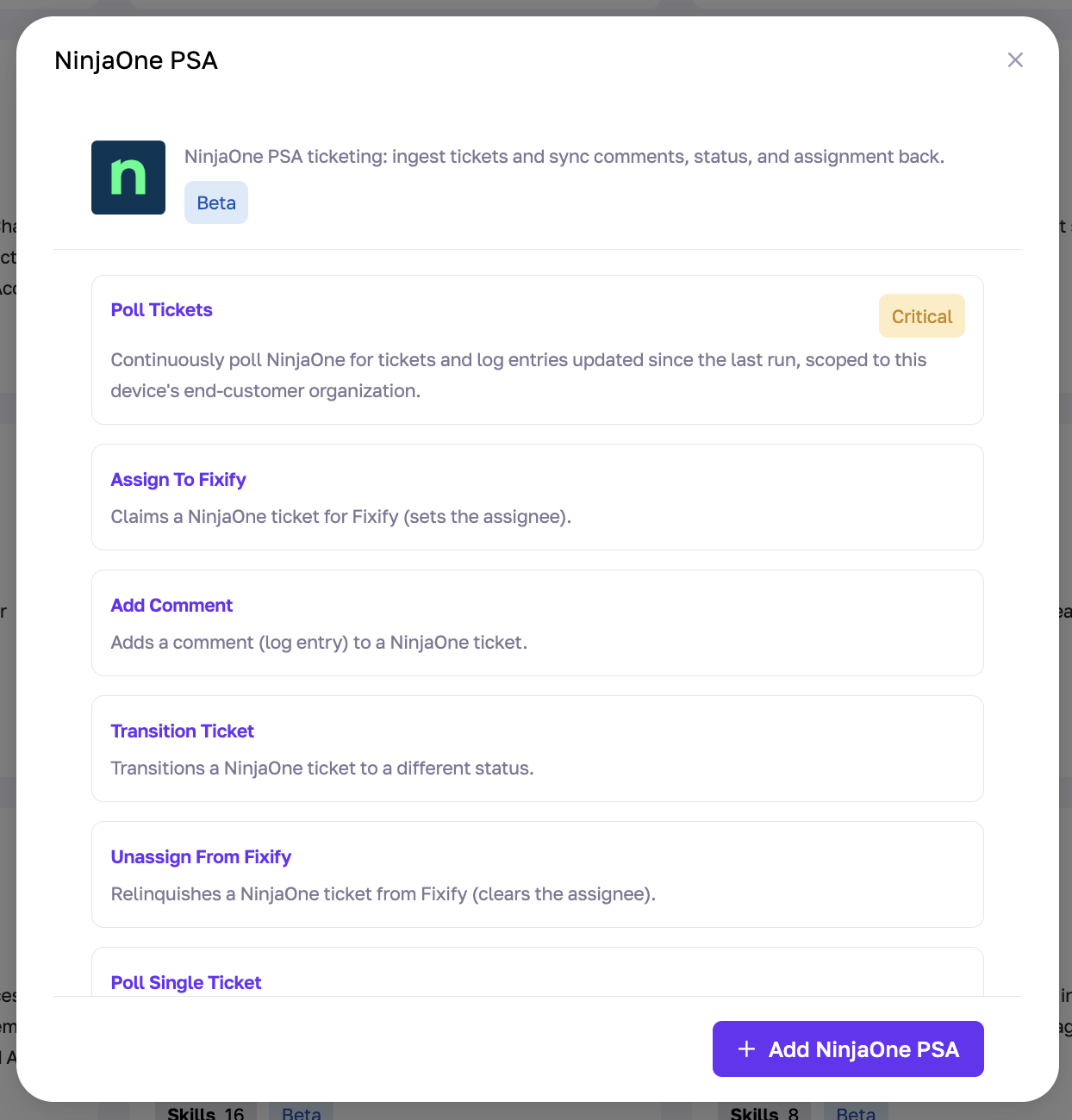
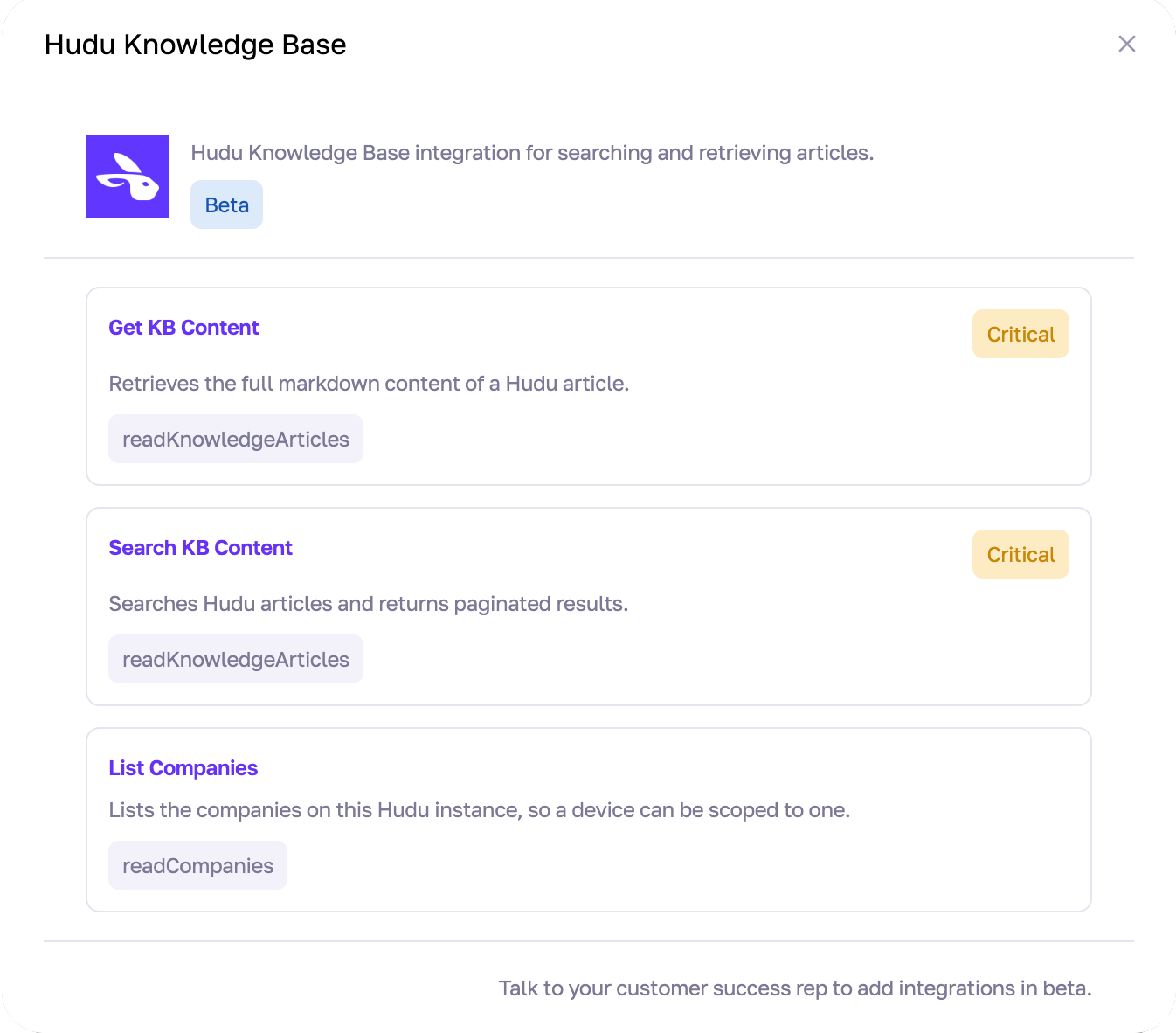
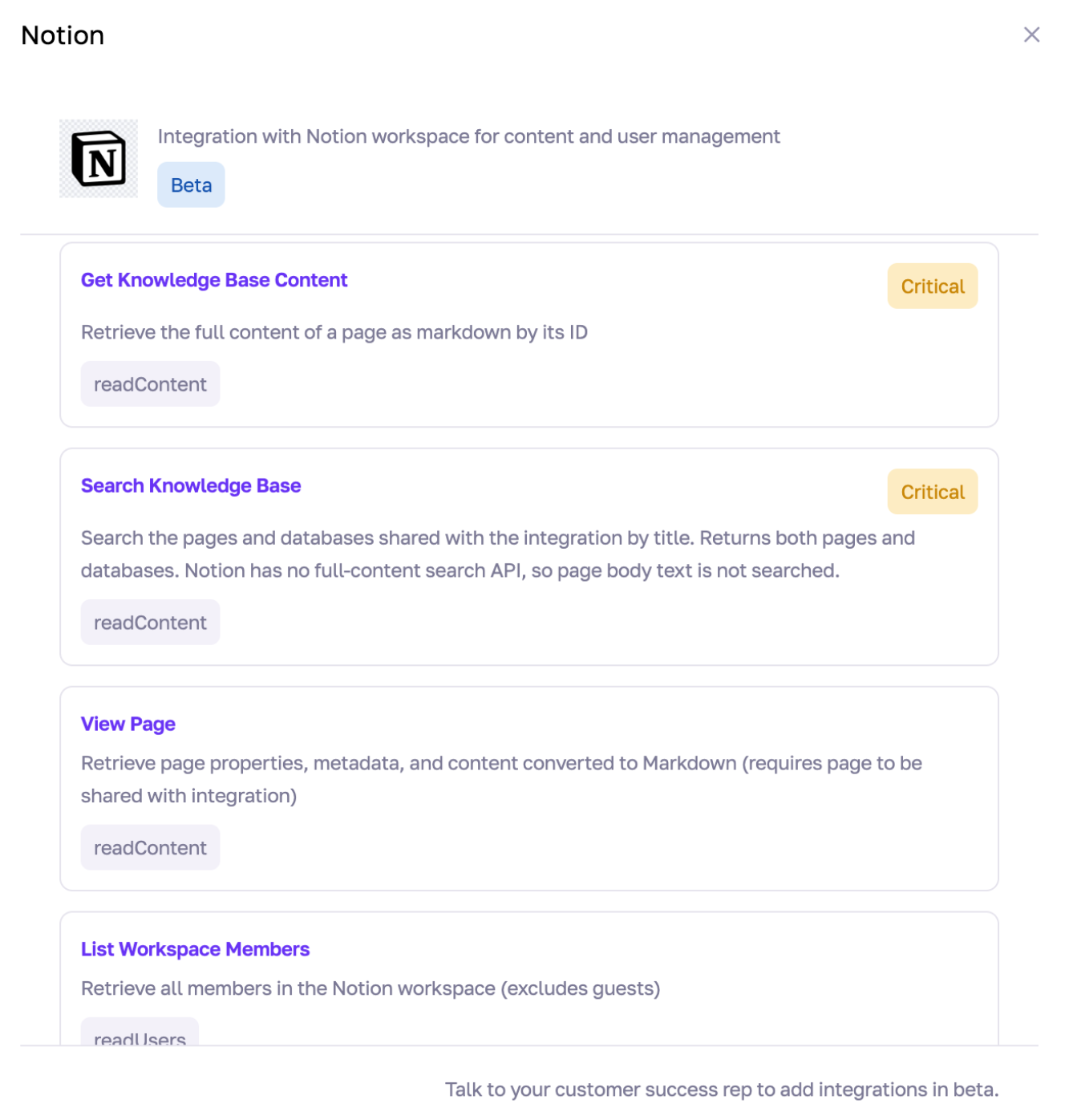
- Three new integrations, including a fully new NinjaOne PSA, Hudu Knowledge Base, and Notion Knowledge Base.
- A more honest product when something stops or fails: it tells you why instead of going silent.
Guardrails
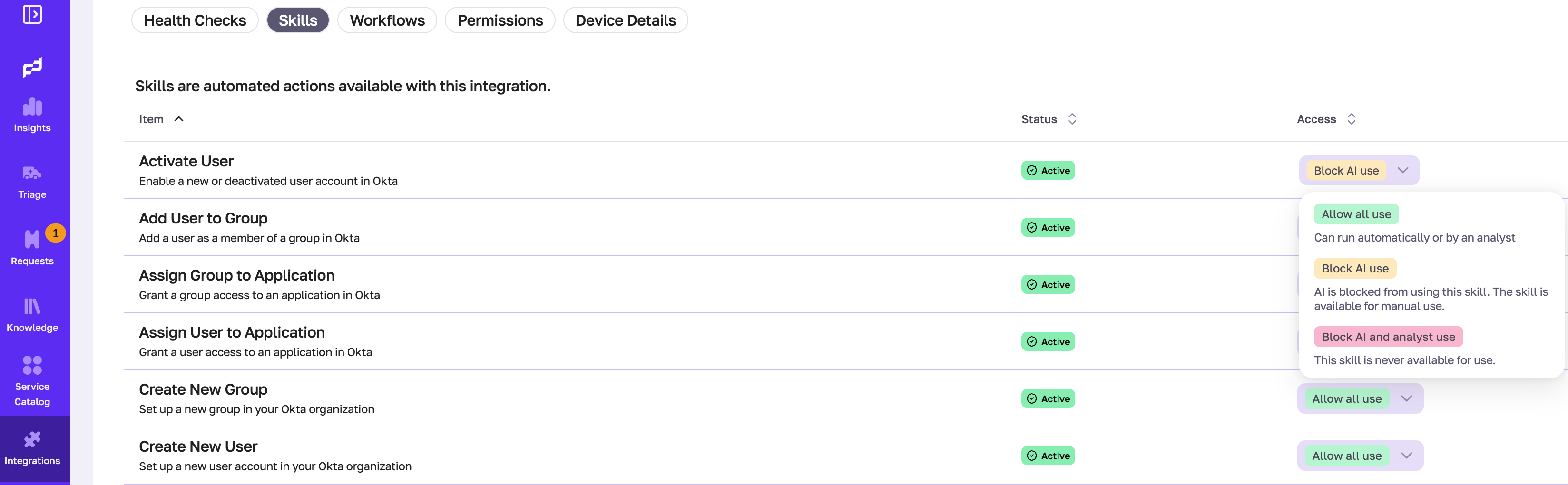
Fixify's AI can take real actions on your behalf, but not every action should happen without a person checking first. Some actions are safe to fully automate. Some need a quick check. A few should never happen automatically at all. Before this, it was all-or-nothing. Now you decide, skill by skill.
- Every skill gets one of three settings:
- Allow All Use: Anyone can run it, AI or analyst.
- Block AI Use: Only an analyst can run it directly. If AI wants to run it, an analyst has to approve first.
- Block AI and Analyst: Nobody can run it. (A few background system actions, like checking for new tickets, are the only exception.)
- To change a setting: Go to Integrations, pick the integration (e.g. Okta), open its Skills tab, and update the guardrail on that skill.
- Automation can also roll out gradually: By use case or by integration, instead of switching everything on at once.
- Every plan also shows what each action risks in plain language before it runs, with a feedback button if a call looks wrong.
- If something stops or fails, it now says why instead of going quiet.

More from Slack
Ask questions and approve requests, right from Slack
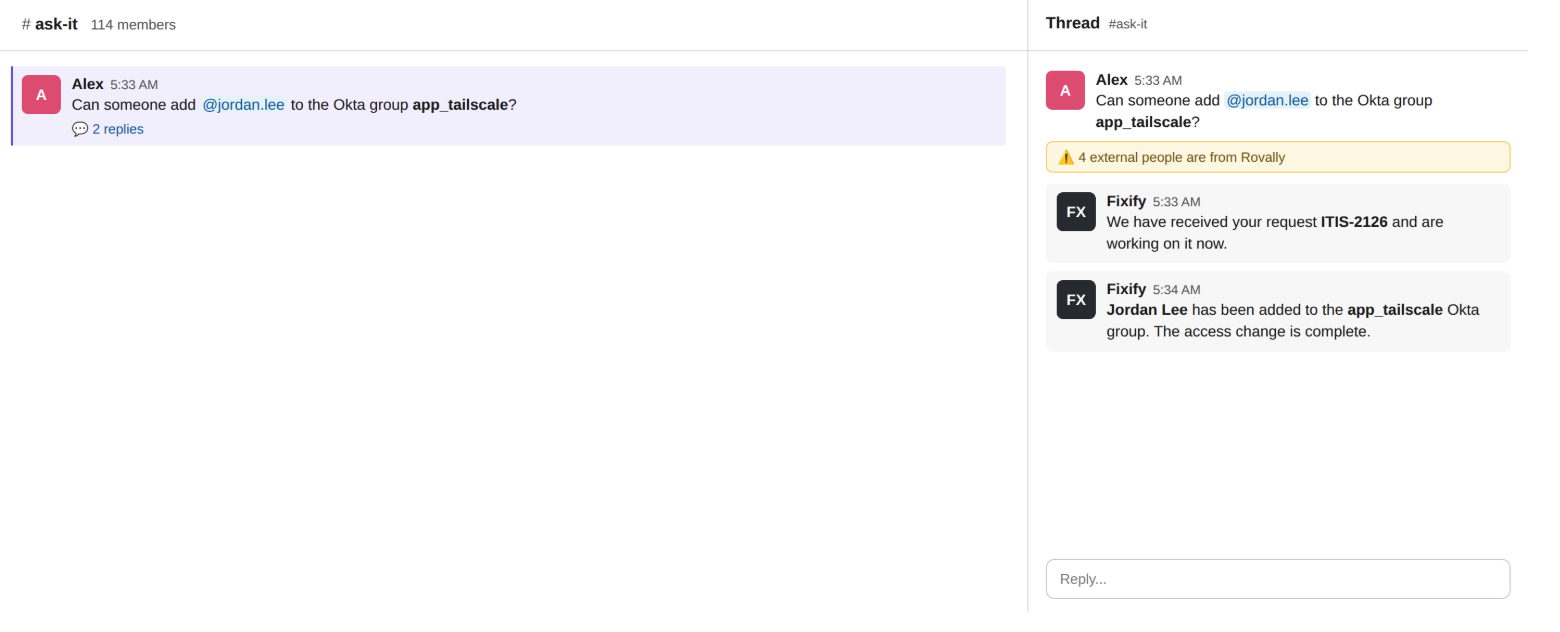
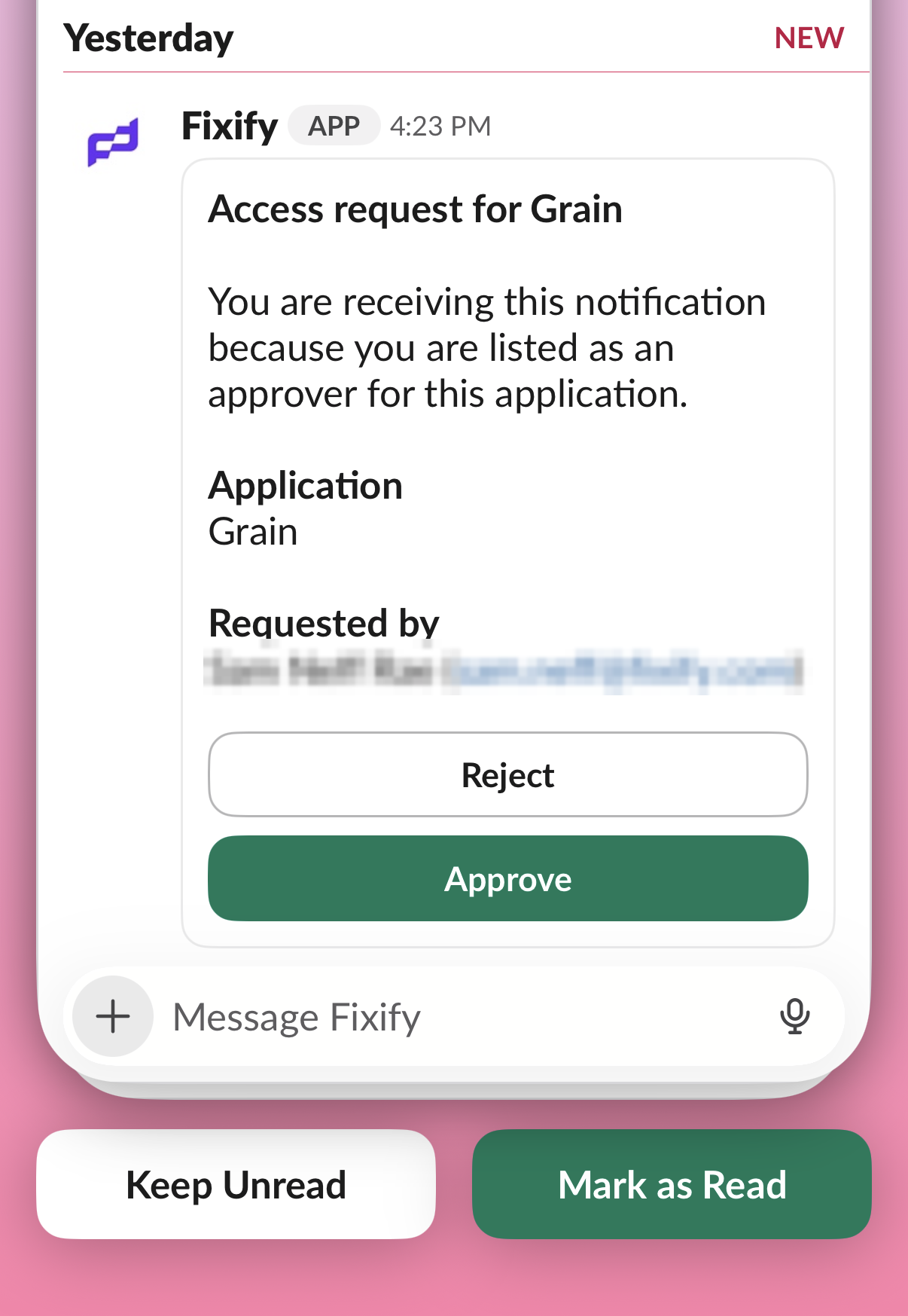
IT teams have to keep watch over Ask-IT Slack channels because end users want fast answers, meaning constant interruptions from other work. Fixify now answers repeat questions straight from your knowledge base, so IT no longer has to monitor the channel. Analysts can also hand work to Fixify directly, either by DMing the Fixify Slack bot or using "Hand off to Fixify." Slack now handles approvals too, routing app requests to managers or IT without anyone leaving the app.
Integrations
New this month
NinjaOne PSA joins the ticketing lineup. Fixify now supports customers using NinjaOne PSA for ticketing.
Hudu and Notion as knowledge sources. Your existing documentation, wherever it lives, can now ground Fixify's answers instead of needing to be copied somewhere else first.
Enhancements
- ServiceNow, Jira, Freshservice: No more accidentally writing to a closed ticket, faster OAuth status checks, and oversized attachments no longer block ticket creation
- Zendesk: Tighter control over which groups get ingested and escalated to
- ConnectWise: Public comments now show up in the conversation, and ticket creator shows correctly
- Google Workspace: Manage forwarding rules directly, with a clearer error when a connection lacks the access it needs
Knowledge management
See what's working, fix what isn't
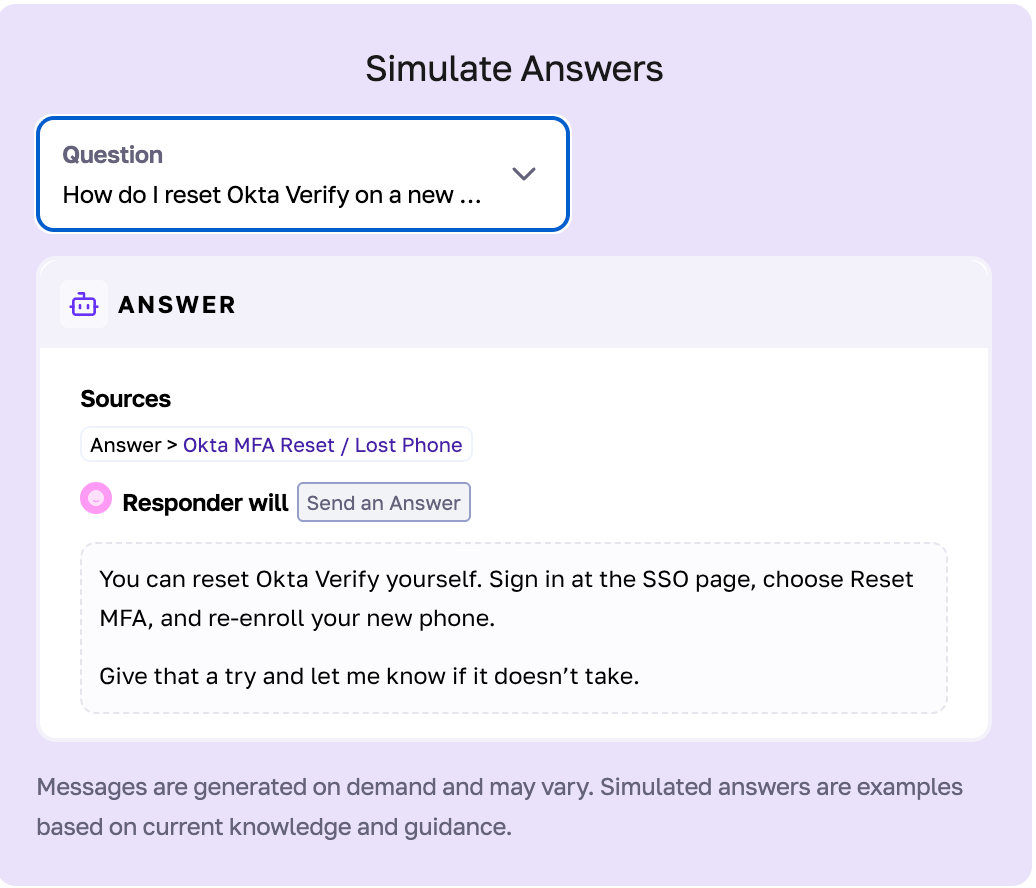
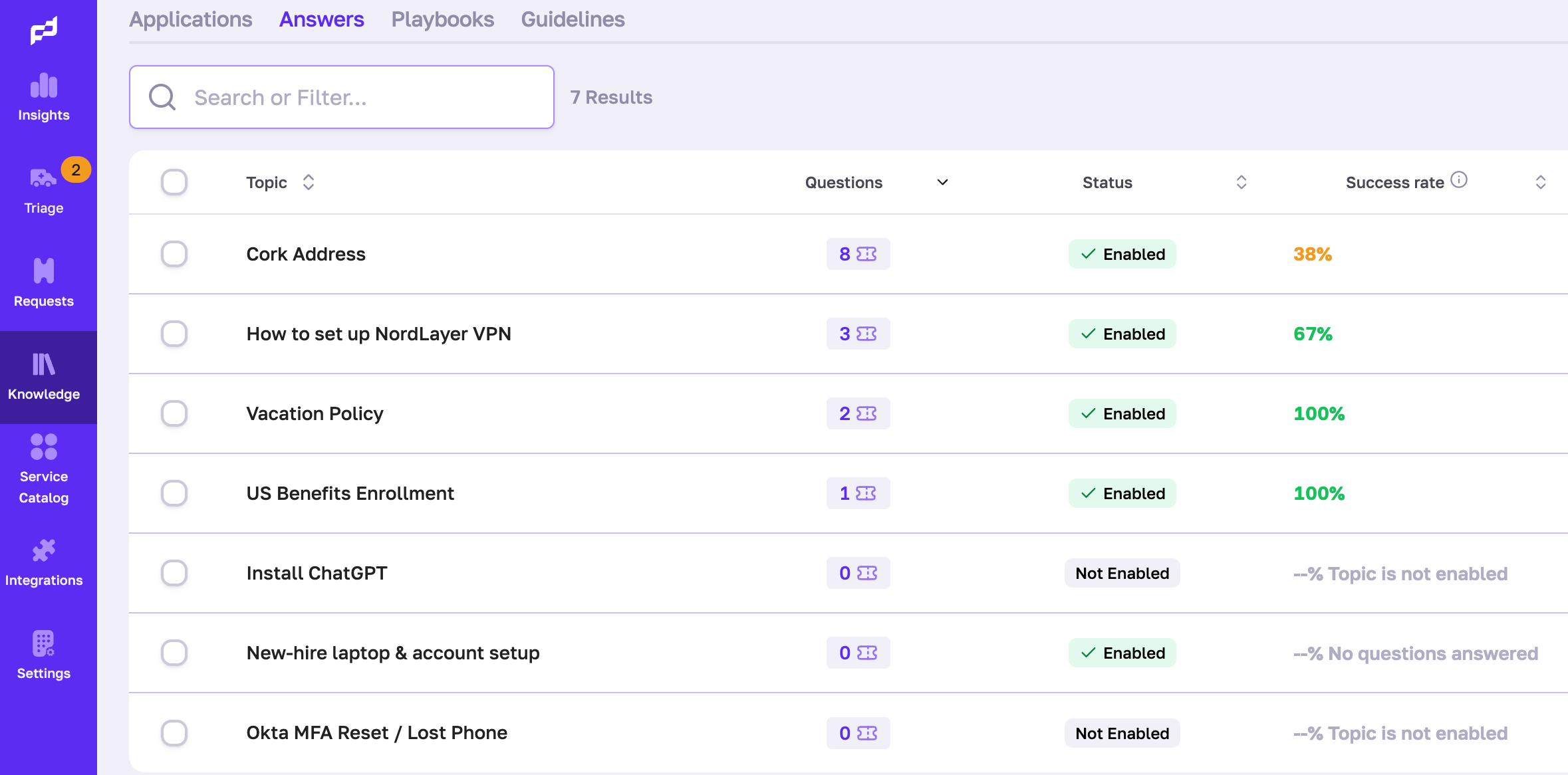
Every Q&A topic now shows a live success rate, and you can simulate an answer against real questions before it goes live. New topics also classify themselves automatically, and playbook matching got sharper, so Fixify more often picks the one that actually fits.
That's a wrap for July — a month built around control and clarity. Guardrails put you in charge of what Fixify runs on its own, Slack does more without ever leaving the app, and your knowledge base is finally working harder for you. Keep the feedback coming — it shapes everything we ship next.
Related articles

From IT Director to VP: What it really takes to make the leap


AI help desk essentials: What no one tells you about balancing tech & humanity

.avif)
What Does IT Support Mean in 2025?

Stay in the loop

Sign up to get notified about our latest news and blogs